Taking bookings for your pitches
From an empty calendar to somebody booking and paying for your 3G on a Tuesday evening, without ringing anybody.
Before you start
You’ll need pitch booking on your subscription (what you pay for), and a bank account to be paid into. The money goes straight to your club — we’re never in the middle of it and take no cut of what you charge.
1. Add your ground and pitches
In the Club Hub, open Venues and press Add venue for the ground. Then open the ground and press Add pitch for each pitch on it. A “pitch” is anything you let separately, so a 3G that splits into two halves is two pitches if you let them separately, and one if you don’t.
2. Say when it’s open
The rest is set in Facilities. On its Overview, press Opening hours and prices → to open Pitch settings. Under Normal hours, set the club’s usual week once, and every pitch follows it. Days that are different go under Closures and one-off changes.
These are the hours you’ll let the ground, not the hours you use it yourselves. Your own training and fixtures are booked in regardless.
3. Set what it costs
Under What your pitches cost, give the club an hourly rate, and add a band under Times that cost more if you charge more at peak. They apply to every pitch. A pitch with no rate can still be requested — it just can’t be paid for online, so you’ll settle it yourselves.
4. Decide how requests are answered
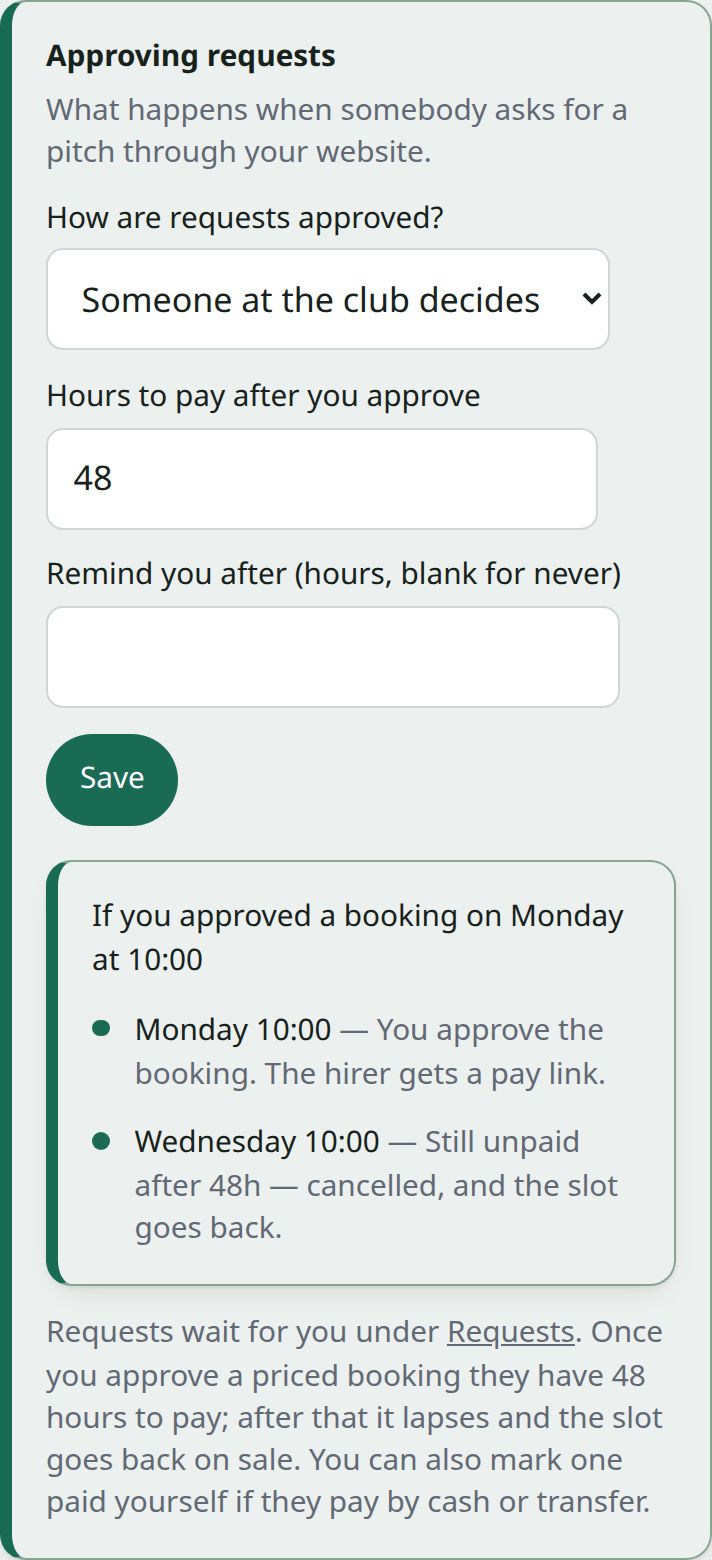
Under Approving requests:
- Someone at the club decides (the default). A request appears in your queue and holds nothing until you say yes.
- Automatically, when they pay. Paying is the approval. The slot is held for ten minutes while they pay, so two people can’t buy the same hour.
Start with approvals. You can switch once you trust the calendar, and it’s the safer way round while you’re learning what people ask for.
5. Open it to the public
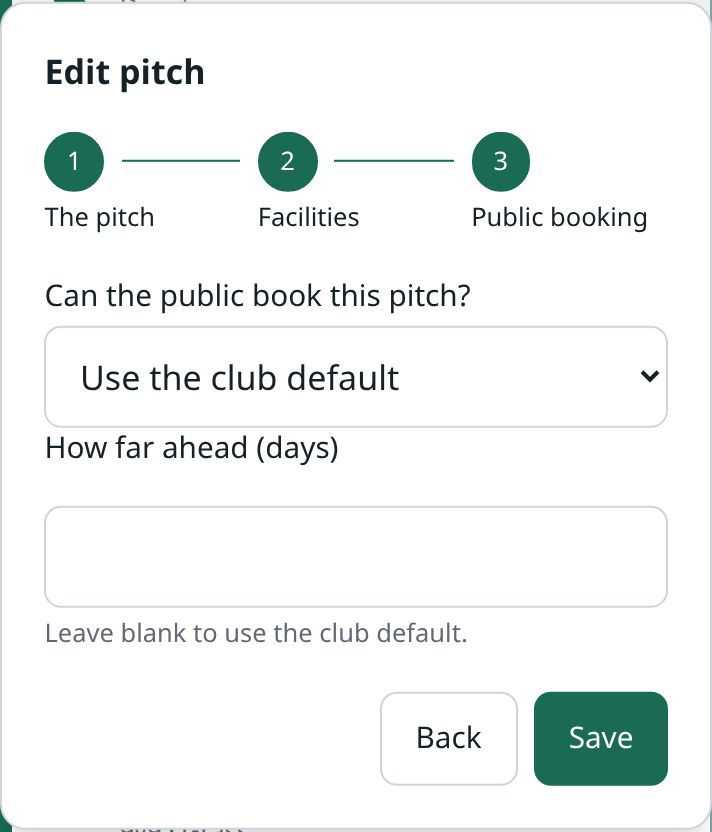
Nothing is public until you say so. Can the public book your pitches? in Pitch settings is the club’s default. To set one pitch differently, open it from Venues in the Club Hub, step through to Public booking, and choose Yes, No or Use the club default under Can the public book this pitch? Plenty of clubs open the 3G and keep the show pitch private.
Then put the booking page on your own website. There’s a snippet to paste in: press Booking on your website → on the Facilities Overview. It needs no login and shows only free times, never who booked what.
What people see
A visitor sees when a pitch is free and what a slot costs, picks a time, and pays by card. They never see who else booked, or anything about your club’s money. You get told when a booking is paid for, and when a card is declined.
If somebody doesn’t pay
Set how long they get. Past that, the booking stops holding its slot so the time can be let again. You can set Remind you after so the club is reminded first. An unpaid booking never quietly blocks a Saturday for ever.