Which league your team plays in
Tell lekkin which league each team plays in. It’s your club’s own label for the team, and it’s always optional.
What it is, and what it isn’t
The league is your club’s own label for a team. It shows people which league the team plays in.
It isn’t an entry into the league, and the league doesn’t confirm it. Choosing a league here doesn’t add fixtures, and it doesn’t tell the league anything. A team in no league, or in a league we don’t list, is completely normal, so you can leave it empty.
Setting it for a team
- Open Teams.
- To add a new team, press Add a team. To change an existing one, open the team and press Edit team.
- Under League (optional), choose your County, or leave it on All counties.
- Type in Search for your league, for example “Sunday League”, and choose it from the list.
- If the league has divisions, choose one under Division (optional). Choose Not sure, or not listed if you don’t know.
- Press Add team or Save changes.
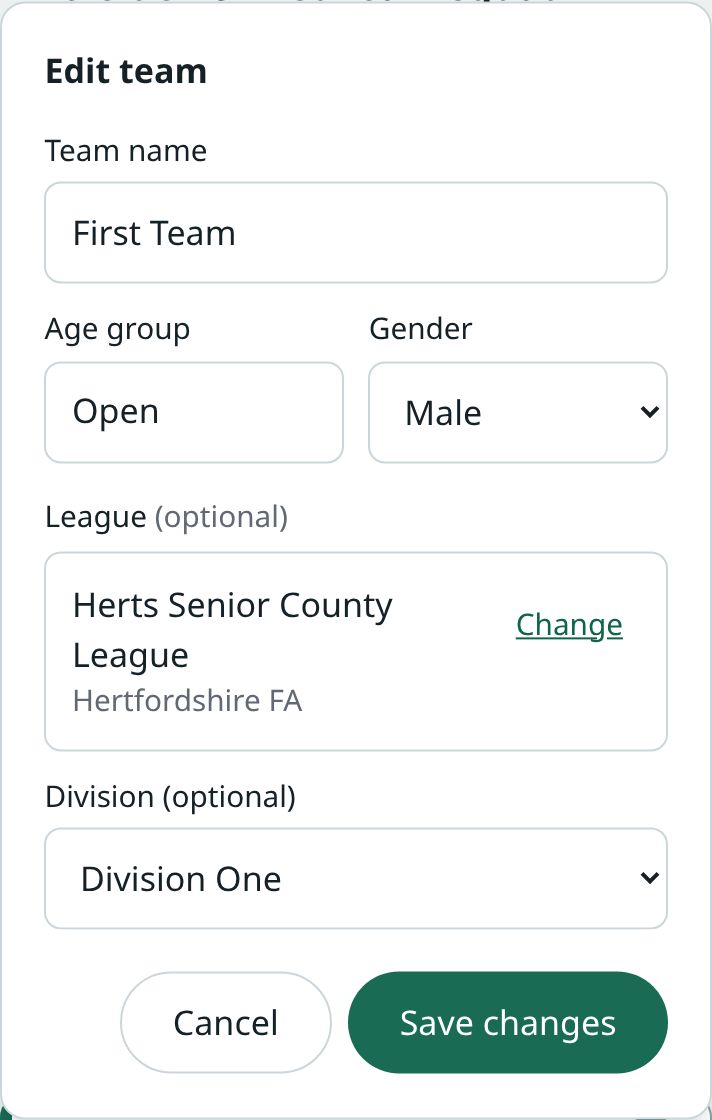
Only club admins can add or edit teams.
When you create your club
If you create a club from your lekkin sign-in page with Create a club, you can choose the first team’s league there, under Its league (optional). It works the same way. The sign-up form on this website doesn’t ask, so set it afterwards from Teams.
Which leagues you’re offered
You’re only offered leagues for the team’s sport. A new team plays your club’s sport.
If we don’t hold any leagues for that sport yet, the picker says so, for example We don’t have netball leagues yet. You can carry on and save the team without one.
If your search finds nothing, your league may not be listed. Leave it empty.
If the list of leagues can’t be loaded, it says so. You can still save the team and add the league later.
Changing or removing it
- Open the team and press Edit team.
- Beside the league, press Change. This clears the league and its division.
- Choose the new league, and its division again if it has one. To remove the league, leave it empty.
- Press Save changes.
A division always belongs to one league, so changing the league never keeps the old division.
Where it shows
- On Teams, under the team’s name, after its age group and gender.
- On the team’s own page, under its name.
- On the team’s home page in the Team Hub, so its manager sees it too.
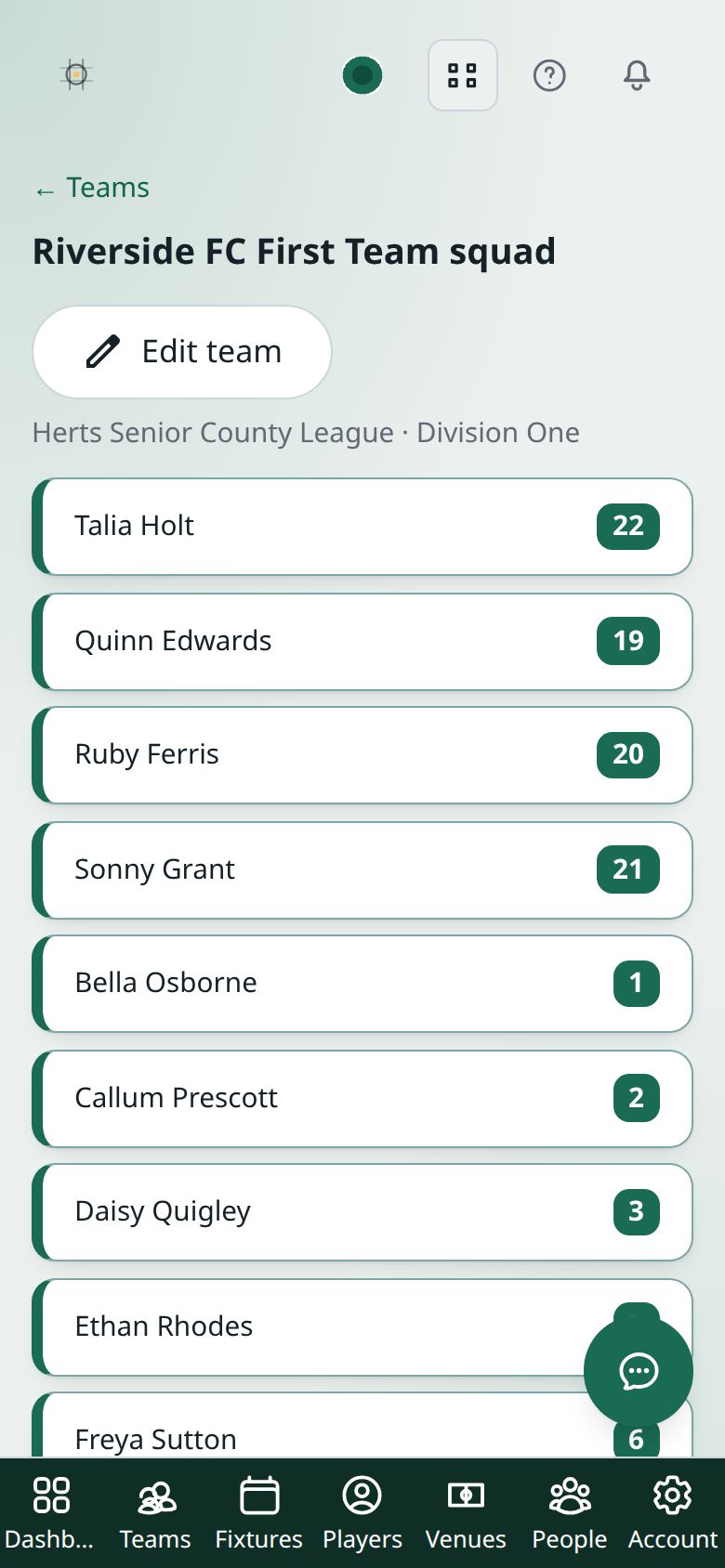
The division, when there is one, is shown after the league’s name.