Putting booking on your own website
Two lines pasted into your club's website, and visitors can see what's free and book it without ever leaving your site.
Before you paste anything
Three things have to be true, or people will see an empty box:
- At least one pitch is open to the public — nothing is, until you say so.
- That pitch has opening hours, or there is nothing free to show.
- If you want people to pay, your bank account is connected and the pitch has a rate.
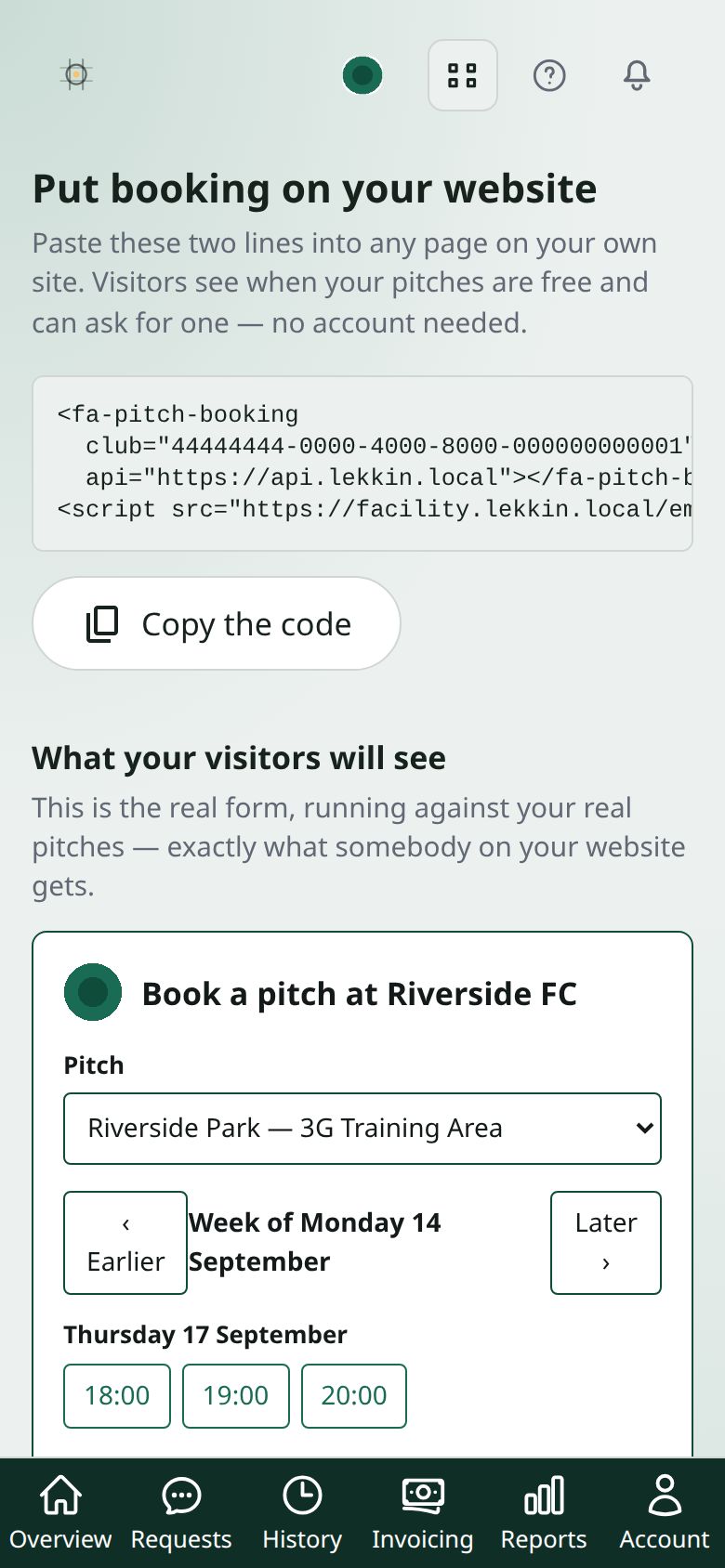
The Put booking on your website page tells you if nothing is public yet, and shows you the widget running with your own pitches — so you can see exactly what a visitor will get before it goes anywhere near your site.
Getting the code
- On the Overview, press Booking on your website →.
- Press Copy the code. That’s your club’s real snippet — not an example to fill in.
It’s two lines: a tag saying where the calendar goes, and a script that draws it.
Pasting it in
Wherever you paste it, you need a box that accepts HTML or embed code — not a normal text box, which will show the code as words instead of running it.
- WordPress — add a “Custom HTML” block to the page.
- Wix — Add → Embed Code → Embed HTML.
- Squarespace — add a “Code” block.
- Pitchero or a club-website provider — look for a “custom HTML” or “embed” widget. Some don’t allow scripts at all; if yours doesn’t, ask them.
If nothing appears
Almost always one of four things, in the order worth checking:
- The code was pasted into a text box. If you can see the code itself on the page, that’s this. Move it to an HTML or embed block.
- No pitch is public. Check the preview under What your visitors will see — if it’s empty there, it will be empty everywhere.
- Your site strips scripts. Some builders remove them on the cheaper plans. The preview working here but not there is the tell.
- Only part of it was copied. Both lines are needed — the tag alone draws nothing, and the script alone has nowhere to draw.
What visitors can and can’t see
They see when a pitch is free and what a slot costs. They do not see who booked anything, any name, any note, or anything else about your club. A visitor with the code can’t learn anything a passer-by couldn’t.
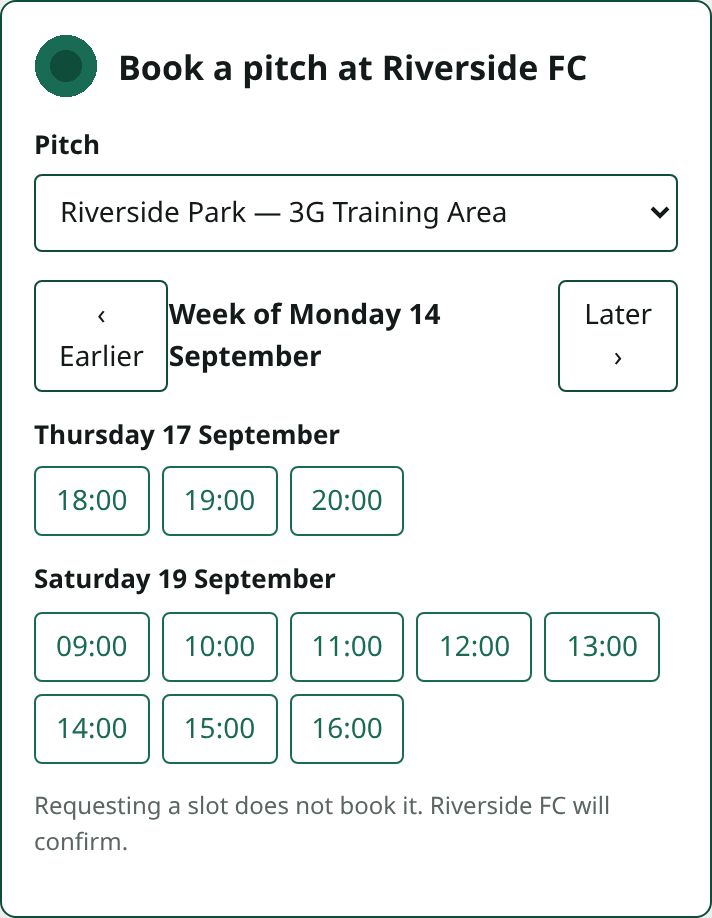
Asking is not booking. A request holds nothing until you accept it — so two people can ask for the same hour and you decide, rather than the quickest click winning.
Keeping it working
Nothing to update. The snippet points at us, so new features and fixes appear on your site without you touching it again. Change your hours or prices here and your website follows immediately.