Invoicing a regular hirer monthly
A league that books every Saturday doesn’t want to pay for each one. Put its bookings on an account and send it one invoice a month.
Before you start
Invoices are sent through your club’s own Stripe account, the same one people pay by card through, so it needs to be set up first. See Getting paid for a booking. The money goes straight into your club’s account. Stripe charges its own fee for each invoice paid.
Adding an account customer
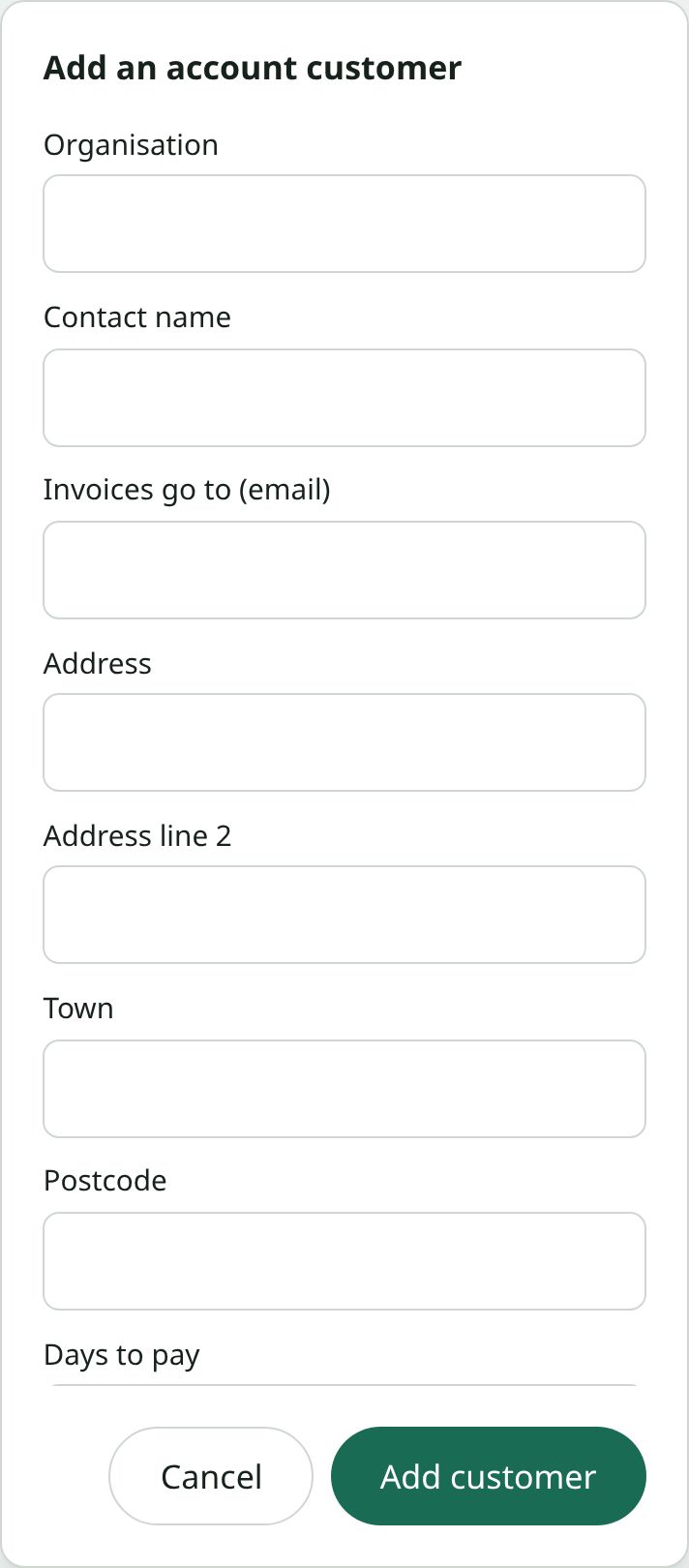
- Open Invoicing and choose Add a customer.
- Enter the organisation, the email address invoices should go to, their address, and how many days they have to pay.
- Choose how invoices are sent: by you each month, or automatically on the 1st (see below).
Putting bookings on the account
When you book a pitch, choose the customer under Bill to. That works for a weekly block too, and every date goes on the account. You can also move an existing booking onto an account from its booking panel, as long as it hasn’t been invoiced or paid yet.
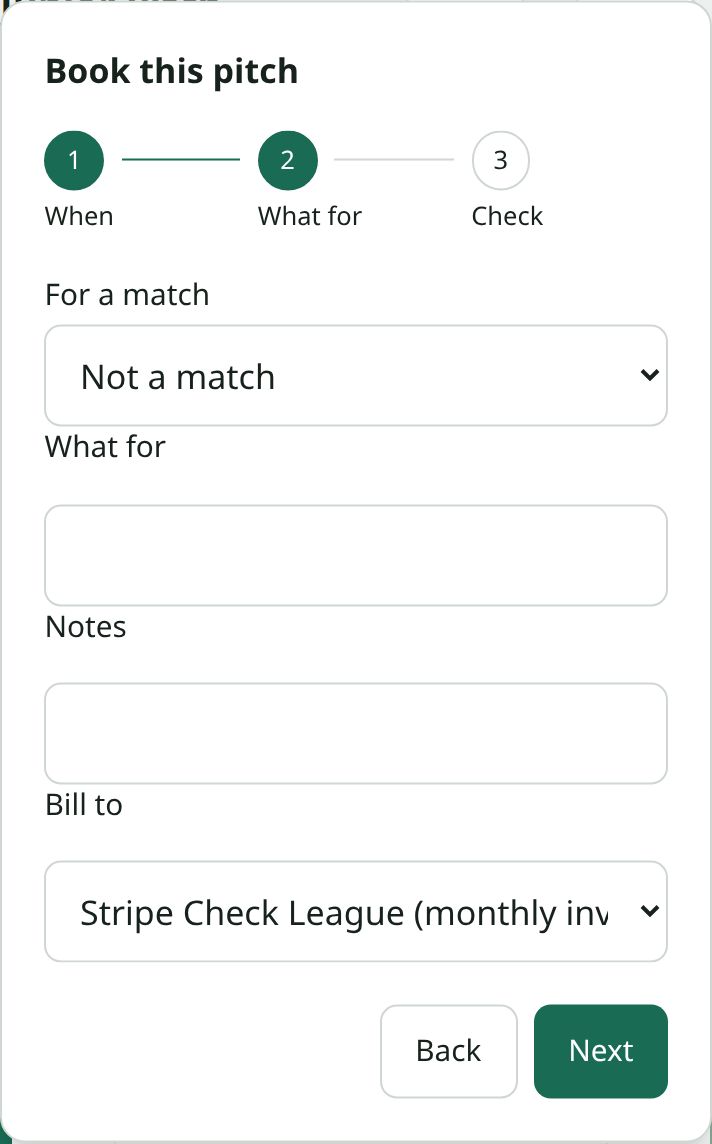
An account booking has no card payment link. It’s paid on the monthly invoice instead.
Sending a month’s invoice
- Open the customer from Invoicing and pick the month.
- Check the list. It shows every booking that will be billed and the total. Bookings with no price are left off, and it tells you how many.
- Choose Send the invoice. Stripe emails it to the customer with its own invoice number, a PDF and a page to pay online.
Stripe only sends reminders if your club has turned them on in its own Stripe settings (under Billing, reminders for unpaid one-off invoices). Without that, the customer gets the invoice once.
Only a club admin can send or void an invoice. A secretary can add customers, put bookings on them and check what an invoice would hold.
Sending automatically
Set a customer to Send automatically on the 1st and last month’s invoice goes on the first of each month without anyone checking it first. Your club’s admins get a message when it has been sent, and an email if it couldn’t be sent, in which case you can send it by hand. It is only ever sent once a month.
Keep new customers on sending by hand until you trust what goes on their invoices.
While an invoice is unpaid
The bookings on it can’t be moved to another date or time, or marked as paid by hand, because the invoice already says what they are.
Cancelling a booking takes it off the invoice with a credit note, so the customer owes that much less and keeps the same invoice. If it’s the last booking left on the invoice, the invoice is voided instead.
If an invoice is wrong in some other way, void it from the customer’s page. Its bookings are released, so you can correct them and send a new one.
When they pay, or don’t
When the invoice is paid, its bookings are marked as paid and your club’s admins get a message. If it goes past its due date unpaid, they’re told once, so someone can follow it up.
A booking paid on an invoice can be refunded later, the same way as one paid by card.