Seeing what your pitches earn
How much each pitch was used, what it brought in, and the times nobody books — for a month, a season or anything in between.
Opening the report
Open Reports. It starts on this month; change the dates to look at any period up to a year.
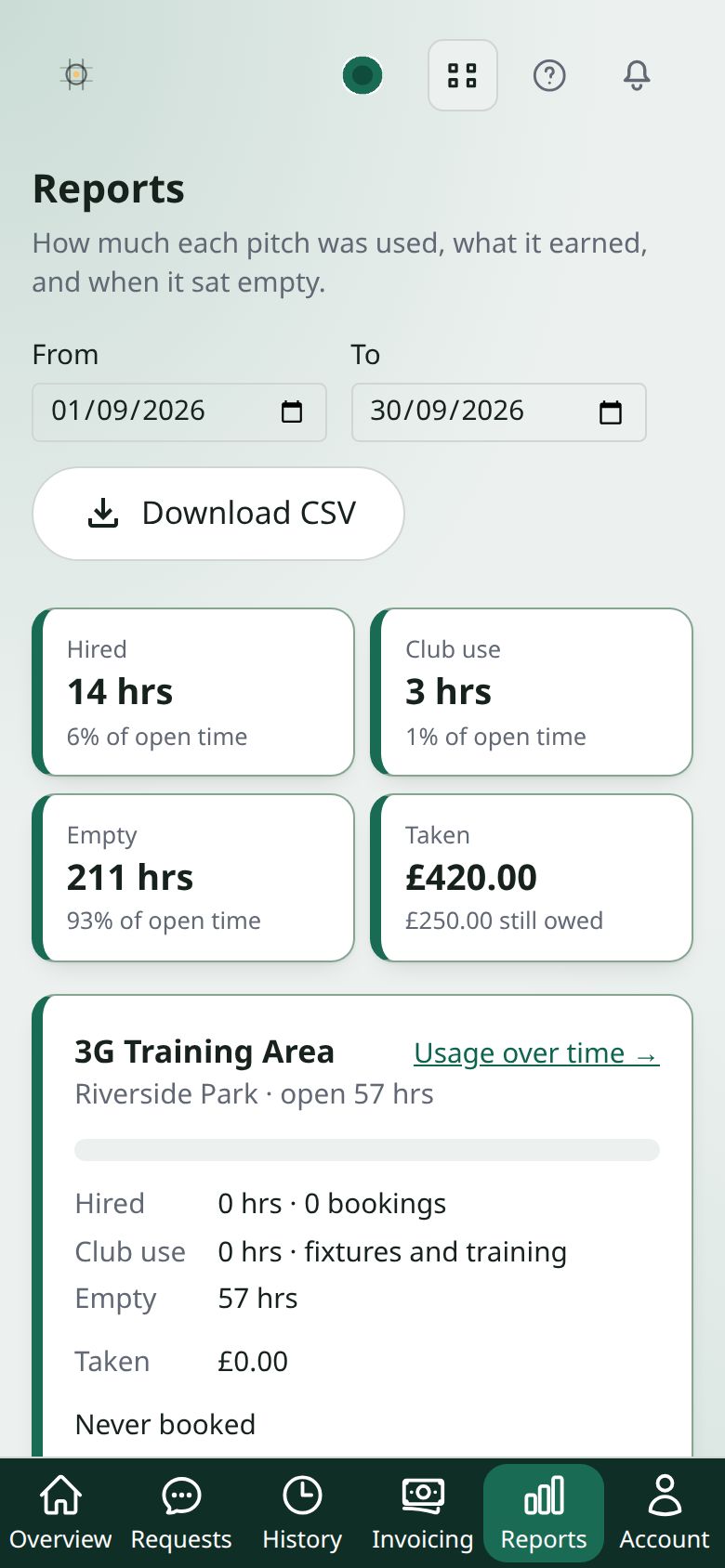
What the hours mean
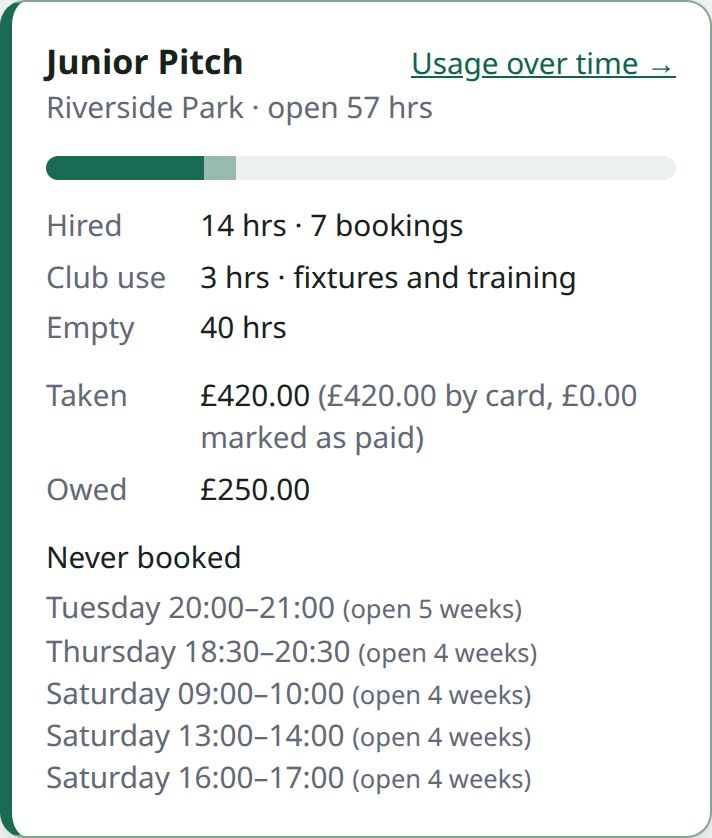
- Hired is time somebody booked the pitch from you.
- Club use is your own fixtures and training. It fills the pitch but earns nothing, so it’s shown on its own and never counted as money taken.
- Empty is open time nobody booked.
Each is a share of the hours the pitch was open. Anything booked while the pitch was shut is listed separately.
What the money means
Taken is split by how it arrived: by card, marked as paid by you (cash or a transfer), and paid on a regular hirer’s invoice. Below it are refunds, what is still owed, bookings that were cancelled, and bookings that were never paid for.
Money is counted by the date of the booking, not the date it was paid, so a September booking paid in August shows in September. No-shows aren’t recorded anywhere, so they aren’t in the report.
Slots that never sell
Each pitch lists the times that were open in at least two weeks of the period and never booked, such as “Thursday 18:00–21:00”. That’s where a cheaper rate, or a word to a local team, might help.
One pitch over time
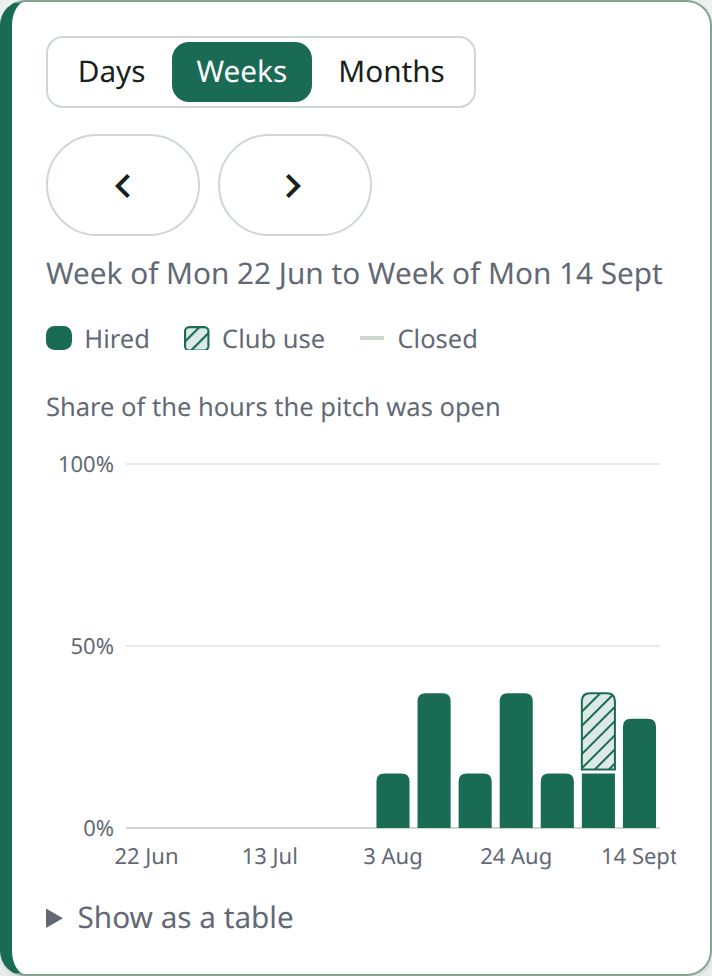
Choose Usage over time on a pitch in Reports, or How busy is it? on its calendar. A graph shows how much of its open time was booked, by day, week or month, and the figures above it show this month’s money and what its weekly blocks bring in each month.
For your treasurer
Download CSV gives the same figures, one row per pitch, ready for a spreadsheet.