How lekkin fits together
lekkin is a handful of apps that share one sign-in. Each does one job for one kind of person, and you only see the ones that are yours.
One sign-in for everything
Everybody signs in in one place, the lekkin sign-in page. None of the apps has a sign-in screen of its own. Sign in once and you can move between your apps without signing in again.
After signing in you see Choose an app, listing the apps you can use. It’s also where you:
- Create a club — see Getting started with your club;
- Manage your account — your name, email, password, two-factor and passkeys. Every app’s Manage your account → link comes here.
The apps
Club Hub — run your club day to day: teams, fixtures, players and results, from your club’s side. For club admins, secretaries and people with the team management role.
Team Hub — run one team: the squad, its fixtures, training and recording the game from the touchline. For team managers. Club admins, secretaries and people with the team management role can open any of the club’s teams here too.
Facilities — your grounds and pitches: availability, the booking calendar, and letting them out. For the same people as the Club Hub. What each person can change inside depends on their role.
Player Hub — when and where you play, and whether you can. For players, and for guardians acting for a player.
Organisation Hub — every club in your organisation in one place, and the people who run them. For organisation admins, who are also full admins in every club the organisation holds.
You only see an app if you hold a role that lets you in. Most people only have one or two. For what each role can do, see Who in your club can do what.
Clubs, teams and organisations
- A club runs one or more teams. Teams always carry the club’s name in front, so “First Team” is never ambiguous.
- An organisation holds one or more clubs. A club created today is given one. If you only run one club, it’s usually just your club’s name again and you can ignore it.
- A role is given at a club, at a team, or at an organisation. It decides which apps you can open and what you can do in them.
Moving between apps
In the top bar, press the app switcher (Switch app) to see your other apps. It only appears if you can use more than one.
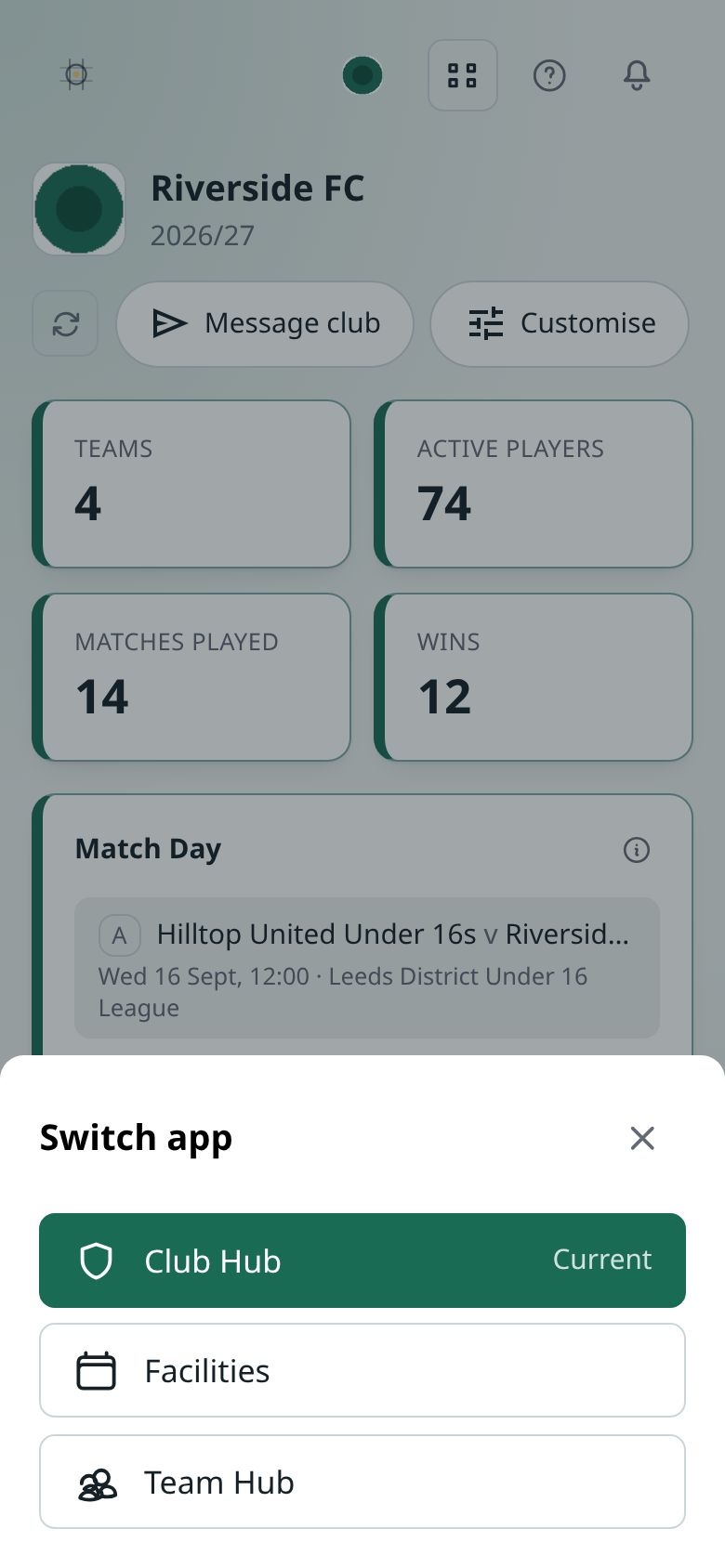
When you switch from the Club Hub to Facilities or the Player Hub, you arrive in the same club. The Team Hub keeps whichever team you last chose.
Changing club
If you help run more than one club, the club’s name in the top bar is a Switch club button. Everything on screen always belongs to the club you’re in, and you never see two clubs’ information mixed together.
Getting help
The Support button in the top bar has How-to guides for the app you’re in.
Your club’s colours
The Club Hub, Team Hub and Facilities all wear your club’s colours, so moving between them still feels like one place. See Your club’s badge and colours.